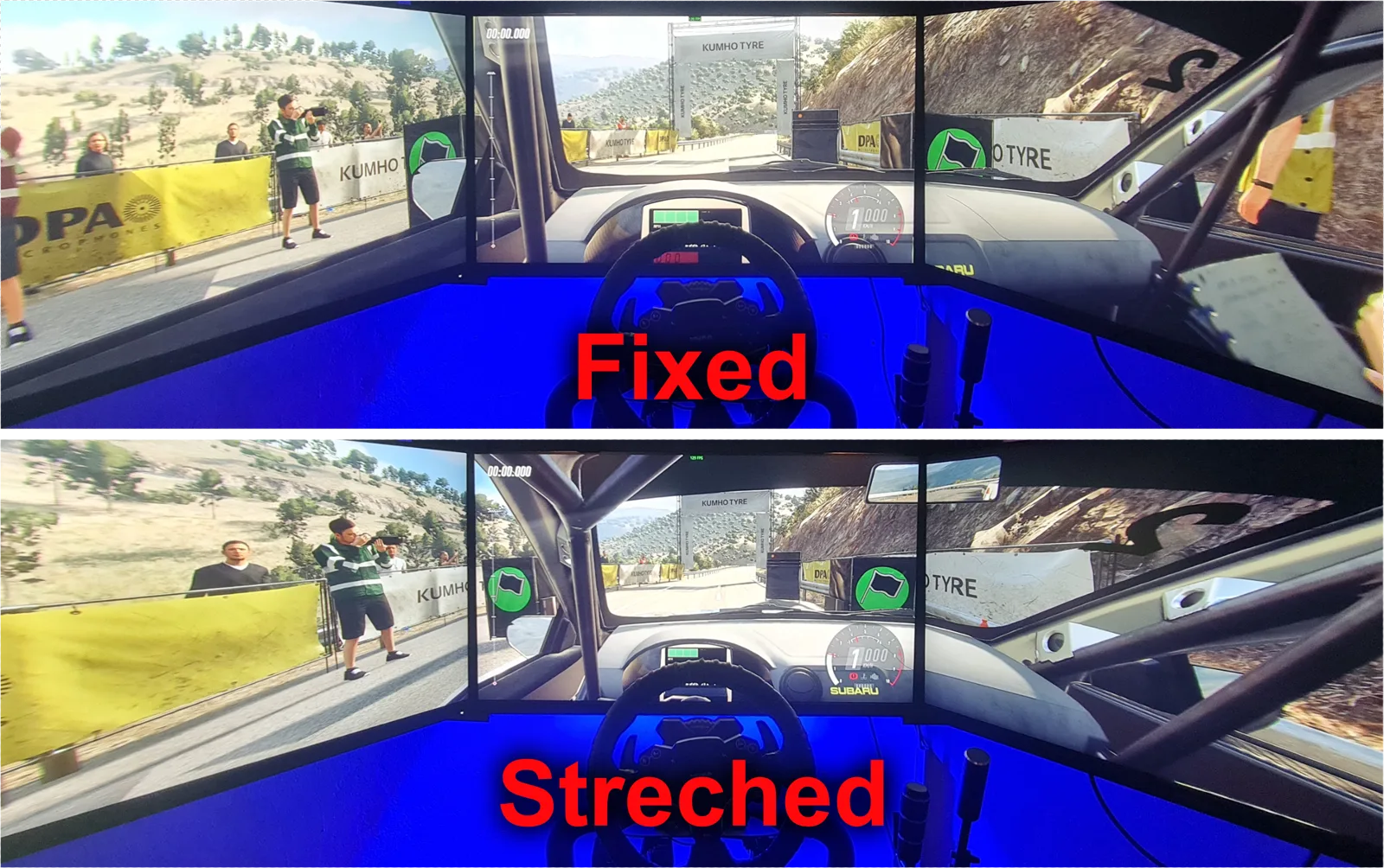
TrueTriple for DiRT Rally 2.0 Is Out
On triple monitors, DiRT Rally 2.0 stretches and warps the side screens so you can't judge distances. TrueTriple properly fixes it, and it's available now.
Every post with its video: gameplay, setups and the apps in action. Also on my YouTube channel.
On triple monitors, DiRT Rally 2.0 stretches and warps the side screens so you can't judge distances. TrueTriple properly fixes it, and it's available now.
Step-by-step guide to installing and setting up Richard Burns Rally with Rally Sim Fans: wheel and pedals, true triple screen FOV, a custom HUD and co-driver.